Task guide / PC Early Access · November 2026
How to open night skiing and find missing night guests
Check three things in order: light coverage along the descent, Night skiing enabled on each intended trail, and matching hours on the lift that serves it. Put the lights in first. A lit village or a switched-on trail is not proof that its lift is carrying skiers after dark.
Updated 2026-11-13 · PC Early Access · November 2026
Follow these steps
Choose one complete evening route
Start with a connected descent and a lift you can afford to operate. Keep the lower exit and services reachable. Pick a run that serves a real guest skill group; specialist guests need their kind of terrain lit if you want them to stay for night skiing. This guide does not assume every run needs night lights.
Place lights before enabling the trail
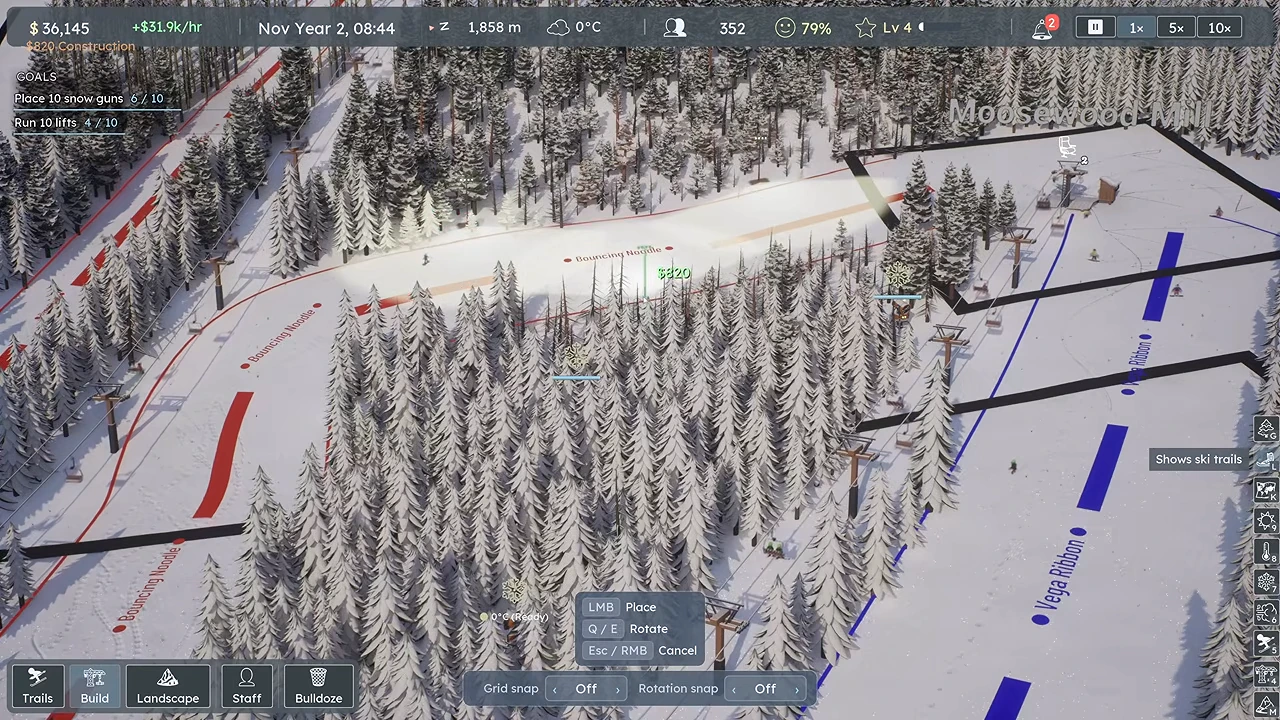
Open the build menu’s lighting options and use the placement preview to cover the chosen descent. In the public example, Tower Lights cover the runs; small village/path lamps are not evidence of full trail coverage. Walk the camera down the run and fill dark gaps, especially bends and lower sections, before opening it for night use.
 Open full-size image ↗
Cover the descent first; a village lamp beside the base cannot light the whole run. Nivarias Part 2, 16:34. Enable Night skiing on each intended trail
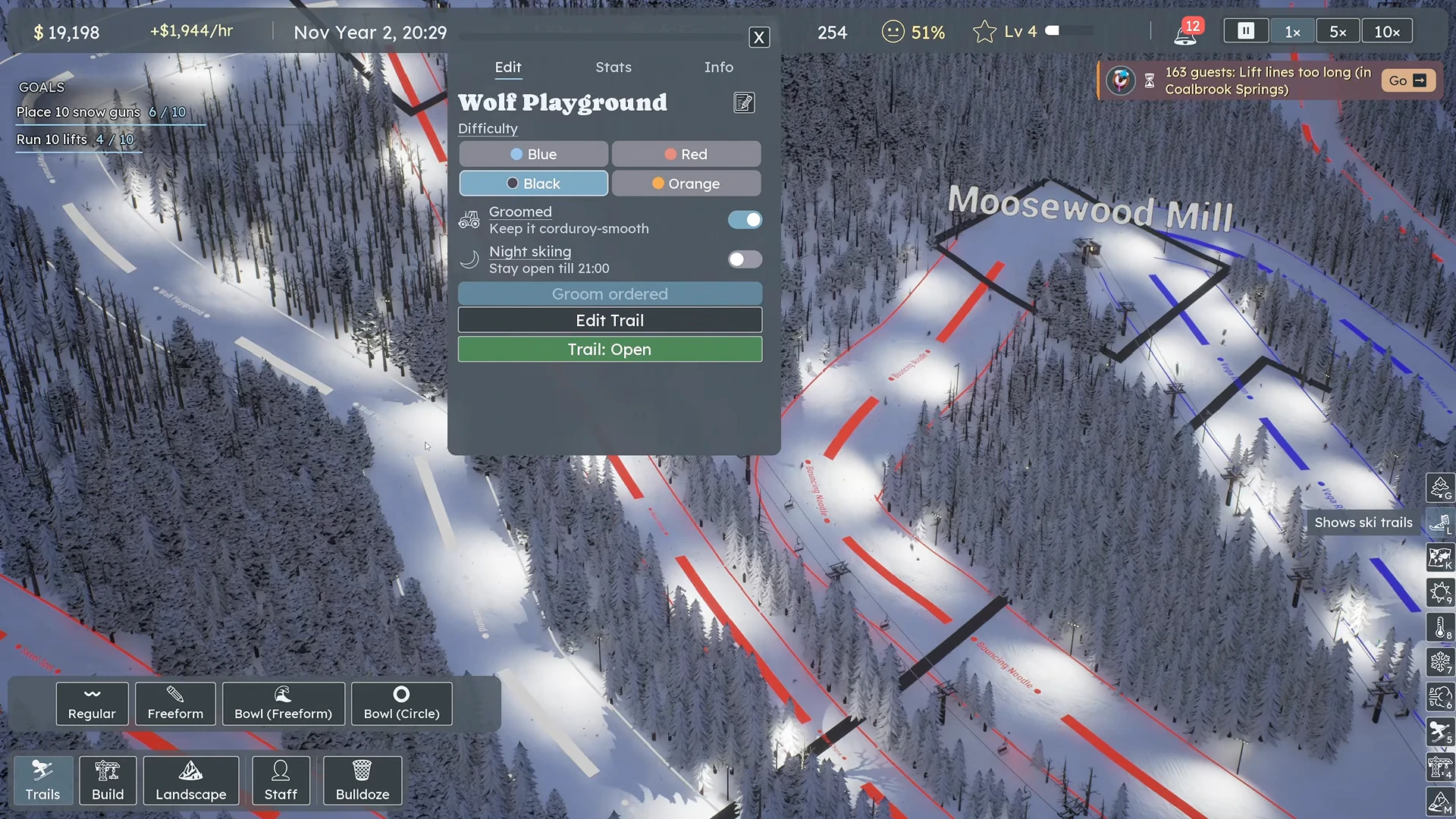
Select the trail, open Edit and turn on Night skiing. Repeat for the other run only if it is also lit. The shown control says Stay open till 21:00. Read its active state after clicking and confirm the edit if the editor requires it; the example image locates the switch before it is enabled.
 Open full-size image ↗
The Night skiing switch is off here. Enable it after lighting the run. Nivarias Part 2, 22:24. Check the serving lift’s actual hours
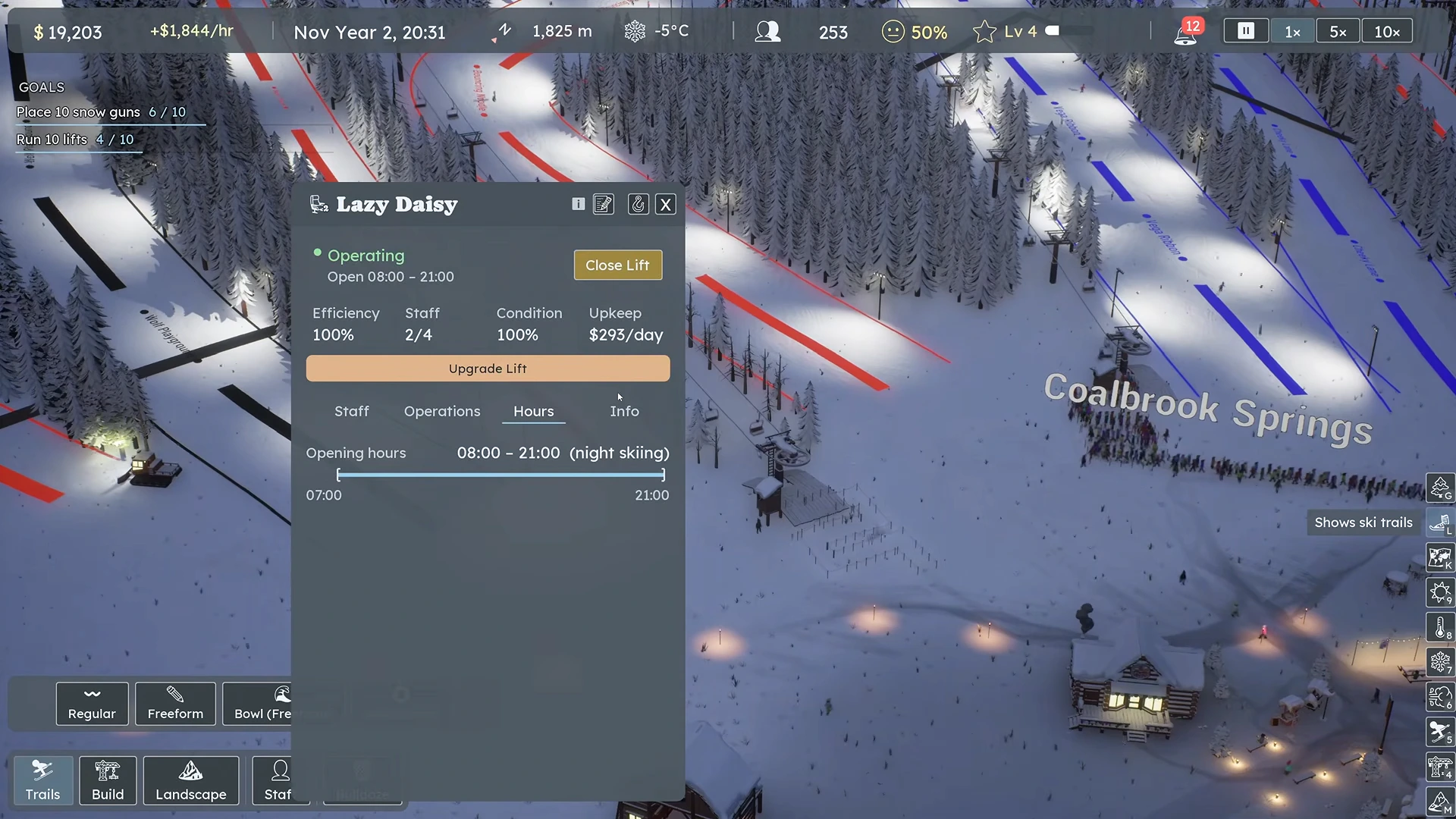
Select the relevant lift and open Hours. Confirm its displayed close time reaches the night period. Recheck manually adjusted lifts even if another lift updated automatically: the author explicitly returns to a previously changed lift and sets it back to 21:00. The captured state below reads Operating and Open 08:00–21:00; the author’s later discussion of 07:00 does not change what this frame shows.
 Open full-size image ↗
Read the lift’s actual hours after enabling the trail. Nivarias Part 2, 22:32; this frame shows 08:00–21:00. Observe boarding after dark and recheck coverage
Advance into the evening. Follow a guest boarding the chosen lift and skiing the lit descent. Look for dark sections even after the system is open; in the same video the author returns to add more lights where coverage looks weak. Check the linked food/drink venues separately if evening guests have nowhere to meet their needs.
What success looks like
The trail’s night setting is enabled, its route has light coverage, and the serving lift displays suitable hours and carries guests during the evening. A glowing lamp alone does not complete the test.
If it does not work
If lamps are on but the slope is empty, check the trail toggle and the correct lift’s Hours before buying more lights. If the lift closes, read whether it has a lit run to serve or is held for weather or maintenance. If only some guest types leave, check whether their suitable terrain is lit. More revenue in a video with many simultaneous changes is not a measured night-skiing profit guarantee.
Sources and version notes
- Nivarias Part 2: lighting and the first night route ↗
Sponsored public full-game footage; exact build not shown. Not our own playtest.
- Nivarias Part 2: build lights, enable trails, recheck manual lift hours ↗
Sponsored public full-game footage; exact build not shown. Not our own playtest.
- Official CL6499 patch notes ↗
- Official CL7489 patch notes ↗
- Official CL7671 patch notes ↗